
Enjoy Your Journey in Japan!
Japanfit-Tourism is a tourism information platform for Japan.
Using a social media approach, it directly disseminates tourism information from local areas and displays information by region.
● Simple two-screen display of articles and maps
This site is structured with two screens: information articles and maps, available in 10 languages.
The header features the names of Japanese regions, with the prefecture name on top and the city or town name below.
By sliding the region names and pressing 'Go!' when they match, information for that area will be displayed.
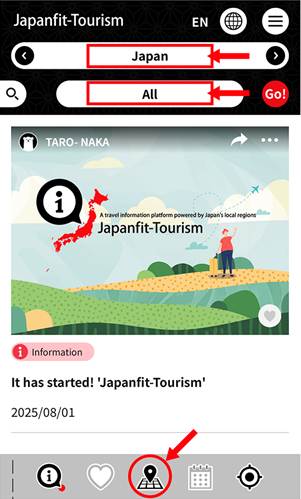
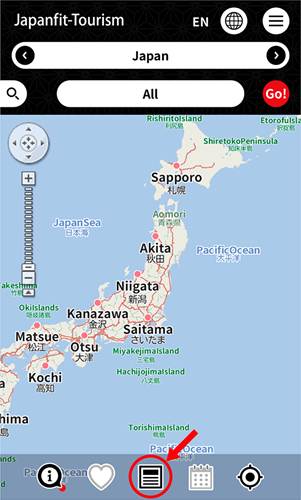
By tapping the icon in the center of the footer, the article display switches to the map.
You can also tap on the map of Japan and use your fingers to zoom in on the places you want to visit.
● Search by tourism categories
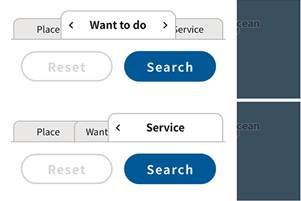
You can filter your search by tourism categories in the side menu.
The 'Information' arrow button displays explanatory articles about places and facilities at the top.
Use it when you want to know information about a specific facility.
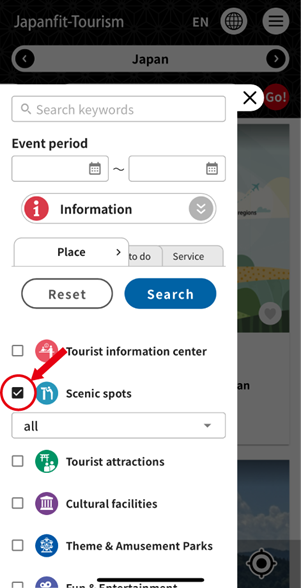
By checking a category, subcategories will appear.
You can further narrow down your search with subcategories.
You can choose from three items: 'Location', 'Things to Do', and 'Services'.
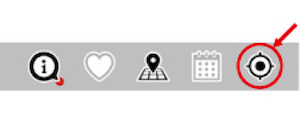
● One-touch display of current location information
When you want to know information about your current location, press the current location button to display information about where you are.
● Route search
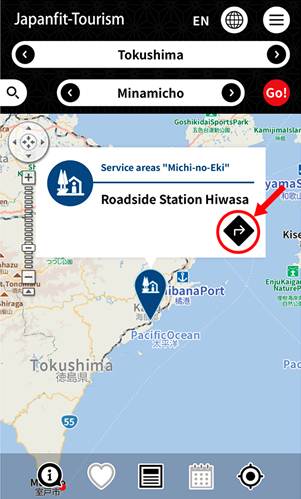
When you find an interesting article, tap it to see the details. In that state, switching to the map will show the article's location on the map. Tapping that flag will display a balloon. Pressing the 'Route Search' button with the arrow will open Google Maps. Since the location information is set, route searching is easy.
Tapping the balloon will display other articles about that location.
● Convenient Features in the Menu
By tapping the menu icon at the top right of the header, a menu list will be displayed.
The menu includes convenient features such as Cover Selection, Travel Etiquette, Favorites, and Emergency Call.
・Cover Selection
Opening 'Cover Selection' in the menu will display a list of covers (TOP page) categorized by theme.
Each serves as an entry point for tourism information by theme.
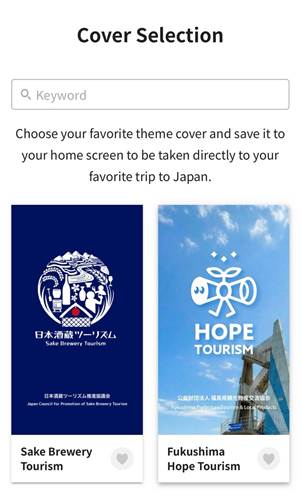
For example, if you like sake, you can choose 'Sake Brewery Tourism', which recommends a trip to sake breweries, allowing you to find articles and map information related to sake breweries. If you save the Cover Selection for the prefecture you plan to visit or the theme you are interested in to your smartphone's home screen, you can enjoy that themed trip with just one touch.
You can also perform keyword searches within the Cover Selection list.
・Travel Etiquette
This section introduces how to spend time in Japan and the manners you should know for those visiting.
・Emergency Call
If you need to report to the police or fire department in an emergency, you can make a call by tapping 'Emergency call' in the menu.
This feature provides quick access to emergency contacts in case of sudden accidents, injuries, fires, or incidents while traveling.
● Let's Share Information with Friends
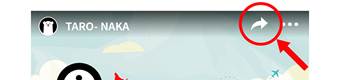
Articles come with a share button. If you find an article you like, please share it on your own SNS and share tourism information with your friends.
Information from various regions of Japan is being disseminated. Please visit some local tourist spots that are still not widely known. You may have fresh encounters.
Enjoy your trip to Japan.