

About Japanfit-Tourism
Japanfit-Tourism is a tourism information platform for Japan. Using a social media-style approach, local communities can publish tourism information directly, allowing you to browse travel information by region.
Simple Two-Screen Interface: Articles and Maps
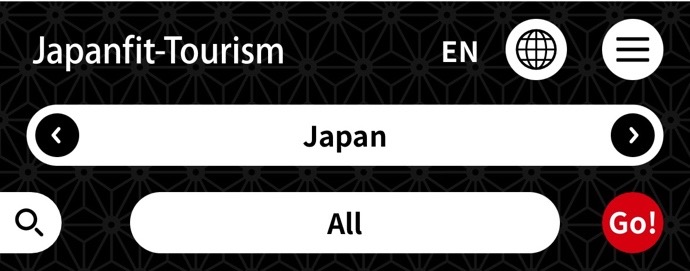
The platform features a simple two-screen layout consisting of Articles and Maps, and is available in 10 languages. The header shows Japanese place names: the prefecture on top, and the city, ward, town or village below. Slide the place names to select a location, then press "Go!" to display information about that area.
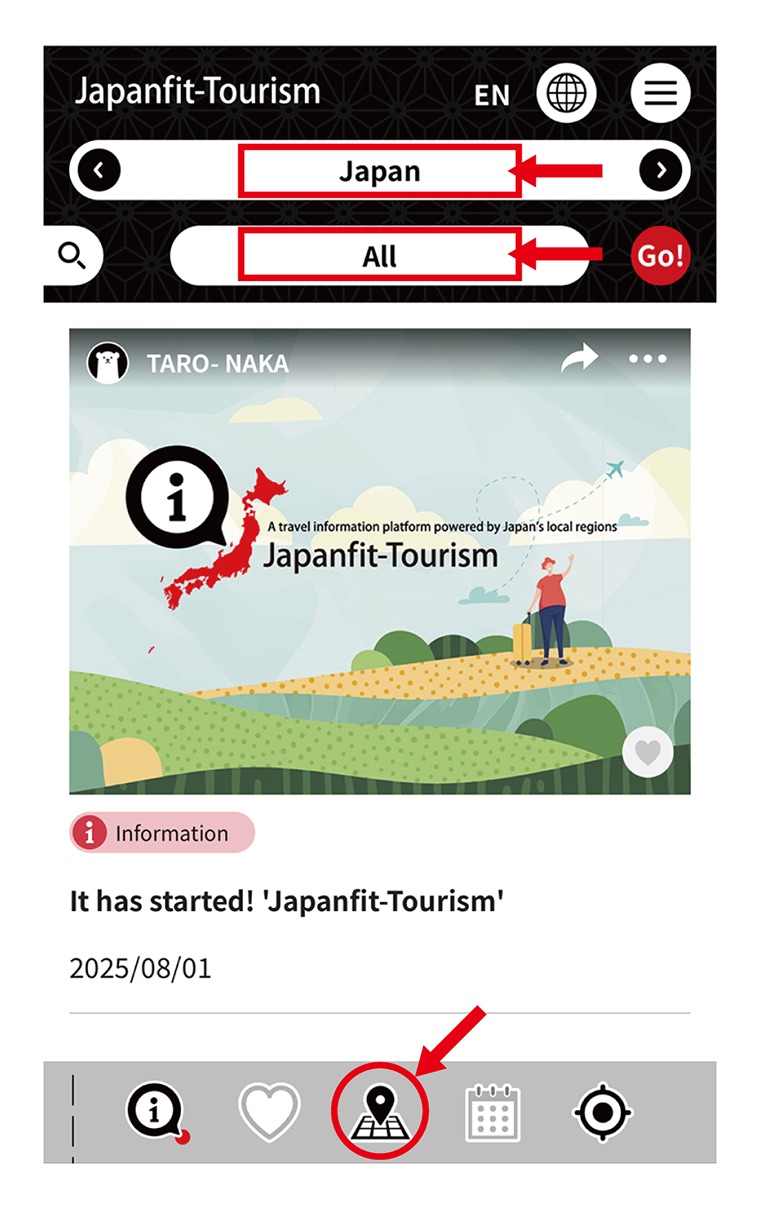
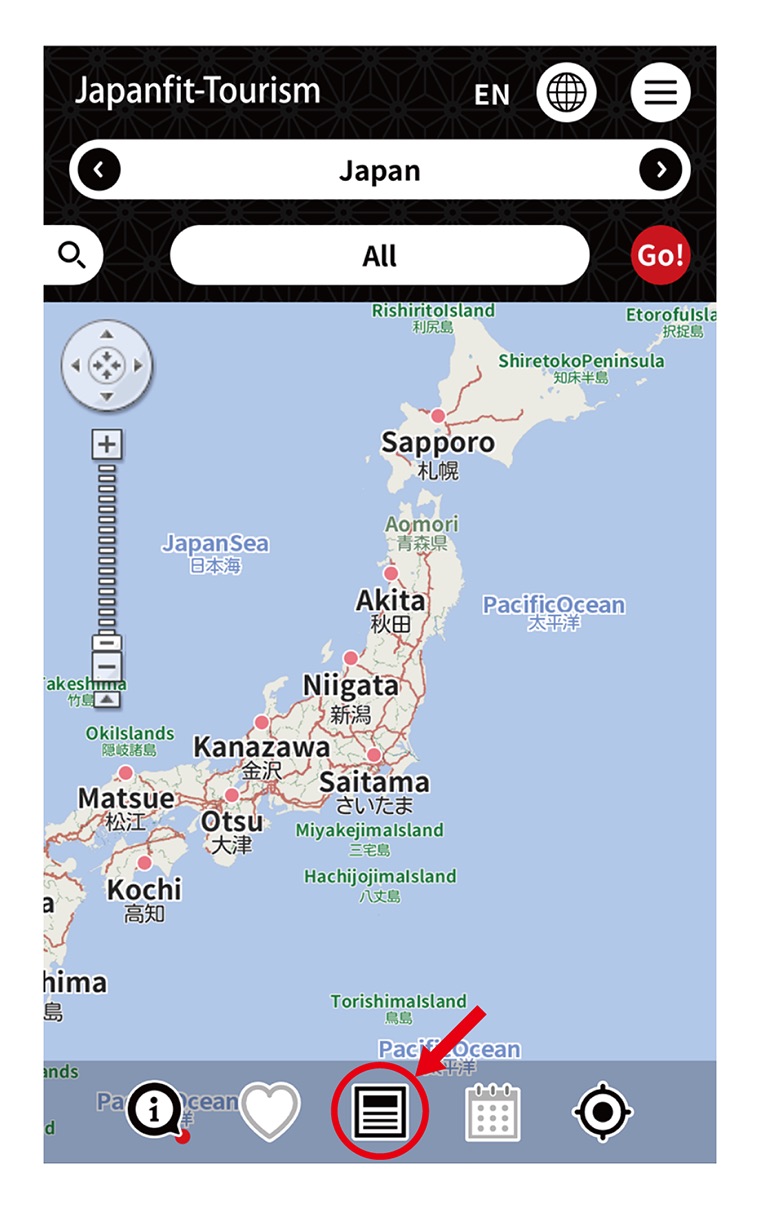
Tap the icon in the center of the footer to switch from the article view to the map. You can also tap the map of Japan and pinch to zoom in to find the place you want to go.
Search by Tourism Category
You can narrow your search by tourism category from the side menu. The arrow button on "information" displays the article about a place or facility at the top of the screen. Use it when you want to select a specific facility and find out more about it.
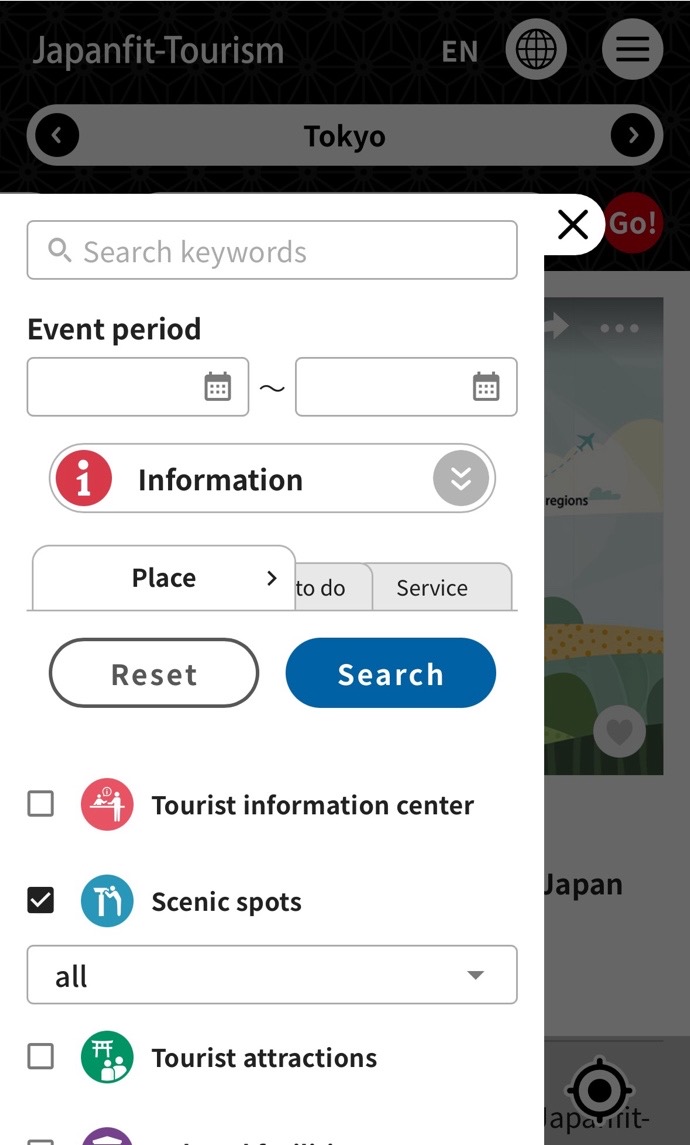
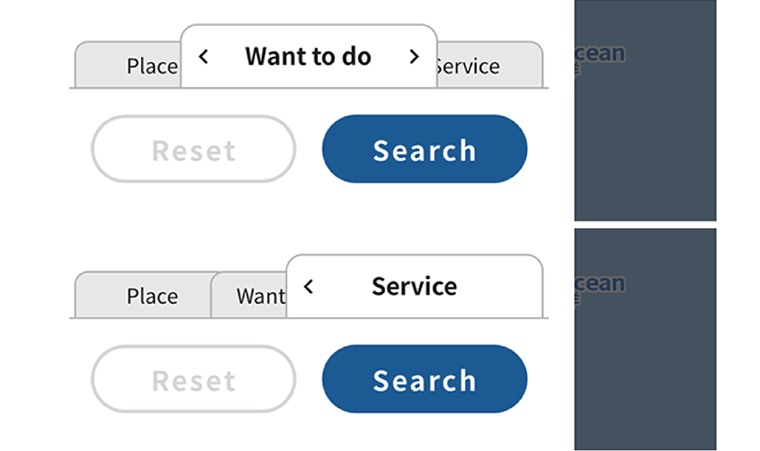
When you check a category, its subcategories appear. Subcategories let you narrow your search even further. You can search by three criteria: "Places", "Things to Do" and "Services".
One-Touch Display of Information About Your Current Location
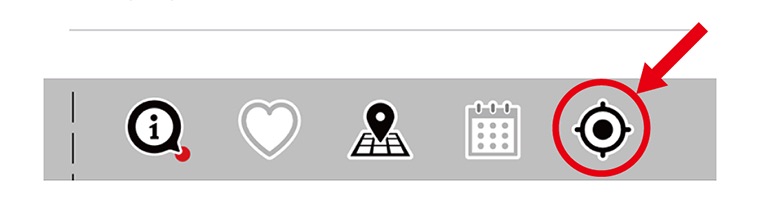
When you want to know about the place you are in right now, press the current location button and information about where you are will be displayed.
Route Search
When you find an article that interests you, tap it to see the details. If you then switch to the map, the location covered by the article is shown on the map. Tap the flag and a balloon appears. Press the arrow-marked "Route Search" button and Google Maps opens. Because the location data is already set, searching for a route is easy.
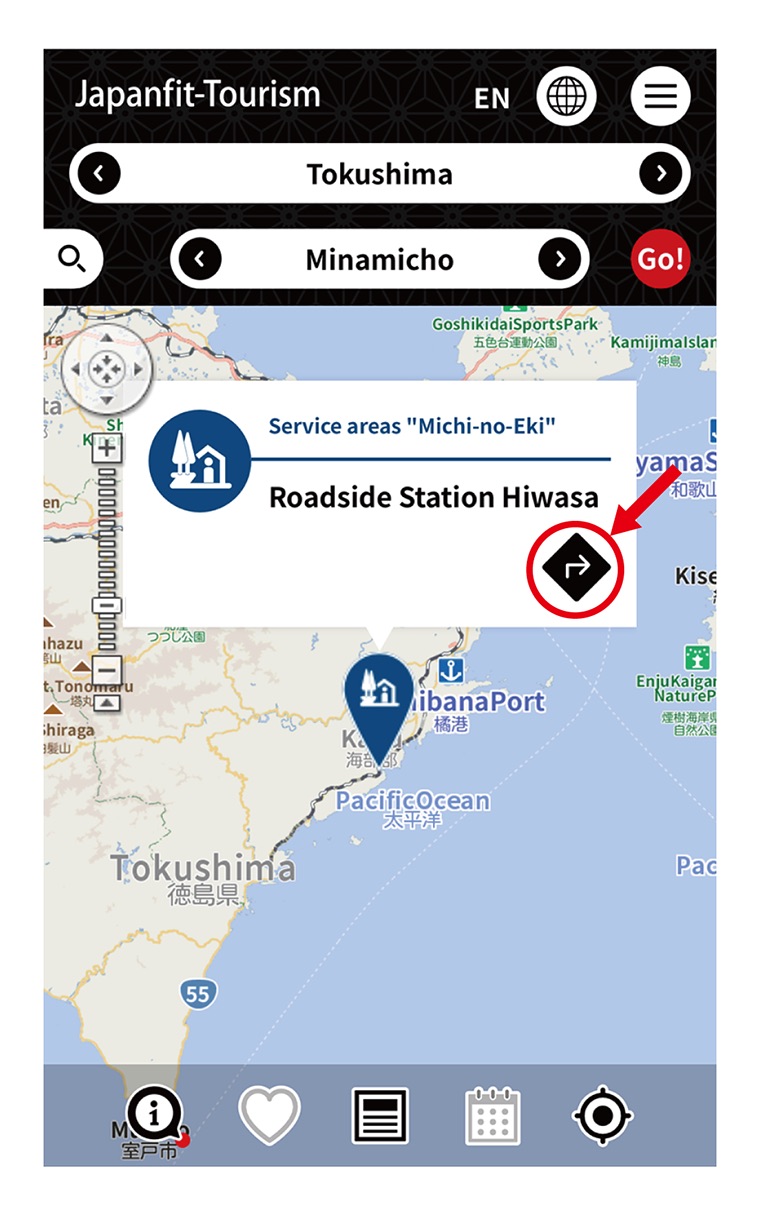
Tapping a balloon also displays other articles about that place.
Useful Features in the Menu
Tap the menu icon at the top right of the header to display the menu list.
From the menu you can open useful features such as Cover Selection, Favorites, Calendar and Emergency call.
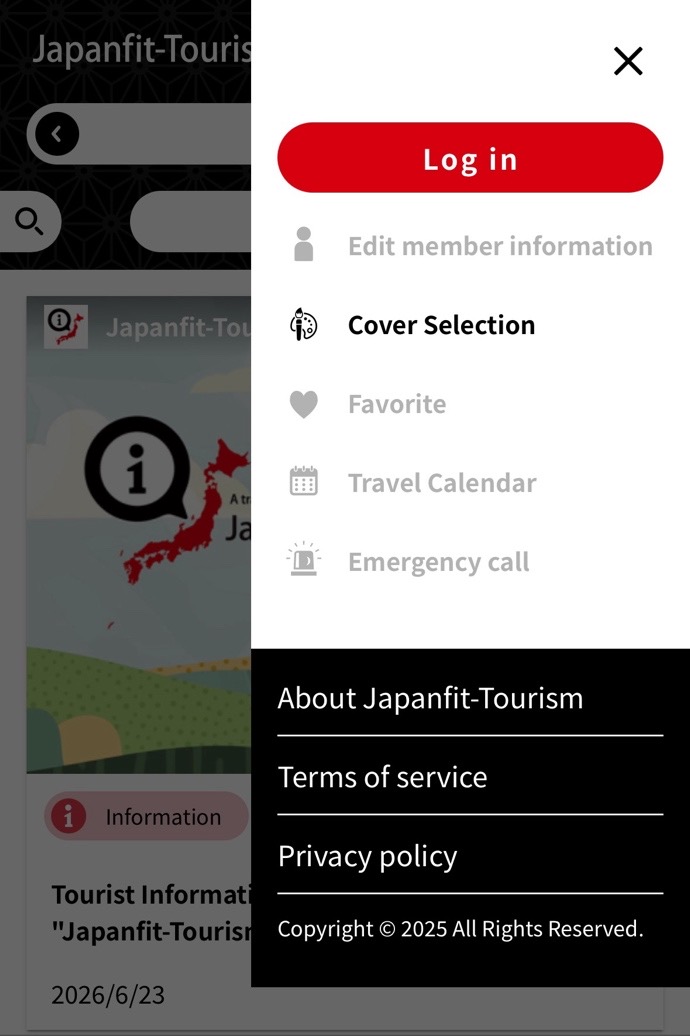
・Cover Selection
Opening "Cover Selection" in the menu displays a list of cover pages organized by theme.
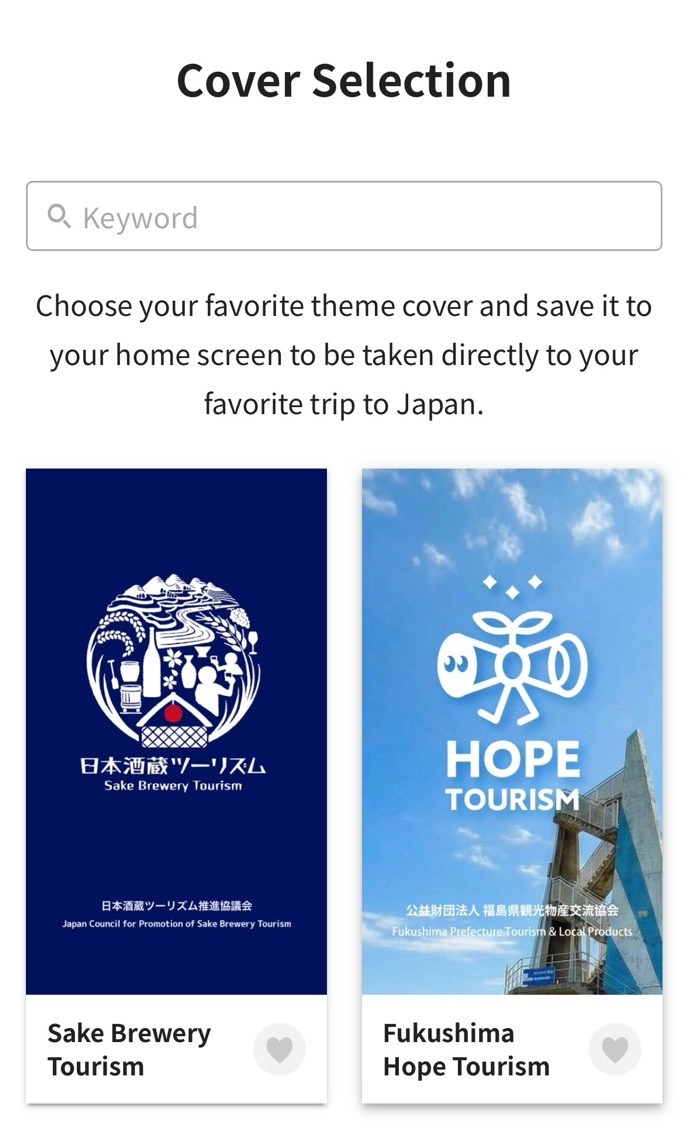
In Cover Selection you can choose the cover page (top page) that best suits your purpose, such as sake brewery tourism, tourism information by prefecture, local events, or themed travel guides. For example, if you enjoy sake, choosing "Sake Brewery Tourism", which recommends brewery-hopping trips, lets you find articles and map information about sake breweries. If you save the Cover Selection for the prefecture you plan to visit, or for a theme that interests you, to your smartphone's home screen, you can enjoy a trip on that theme with a single tap. You can also search by keyword within the Cover Selection list.
・Emergency call
In an emergency, if you need to contact the police or the fire department, you can place the call with a tap from "Emergency call" in the menu. This feature gives you immediate access to emergency contacts in case of a sudden accident, injury, fire or other incident while traveling.
Share Information with Your Friends
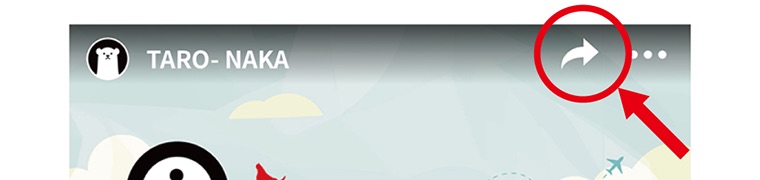
Every article has a share button. If you find an article you like, share it on your own social media and pass the tourism information on to your friends.
Register as a User for Even More Convenience
Once you register as a user and log in, you can use the Favorites and Calendar features.
Information is published from many different regions of Japan. Be sure to visit local destinations that are still little known — you may come across a refreshing new discovery. Enjoy your travels in Japan.
For companies, organizations, and individuals wishing to contribute to this site
If you would like to submit articles to this site, please see the Japanfit-Tourism information site (https://information.japanfit-tourism.jp/ ※Japanese only).